 Quantify
The Quantify window, explained
Everything you see when you click the Quantify icon: the Leech switch, your paper wallets, the settings and the health check.
Open Quantify and activate your key
Click the Quantify icon in Chrome's toolbar. Pin it first with the puzzle icon next to the address bar, so it is always one click away. The Quantify window opens in its own window, next to Axiom.
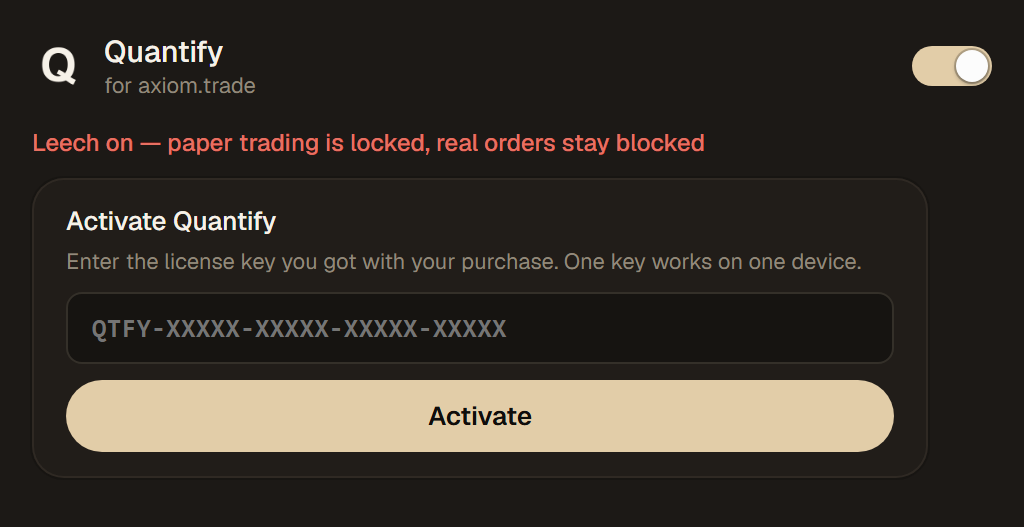
Until a key is active, you only see this form and the Leech switch. Paste your key and click Activate. The red line means paper trading is locked, while real orders stay blocked. No key yet? See Pricing.
The switch at the top right
The Leech switch decides whether Axiom trades on paper or with real money. The line under the tabs always tells you which one is active.
The line reads "Leech on — Axiom trades on paper". Axiom's buttons fill on your paper wallet and real transactions are blocked.
The line turns red: "Leech off — Axiom trades with REAL money". Only you can switch to this, Quantify never does it by itself.
The toolbar icon shows the mode too: a green P for paper, KEY without a valid license, LIVE when Leech is off.
Your paper wallet at a glance
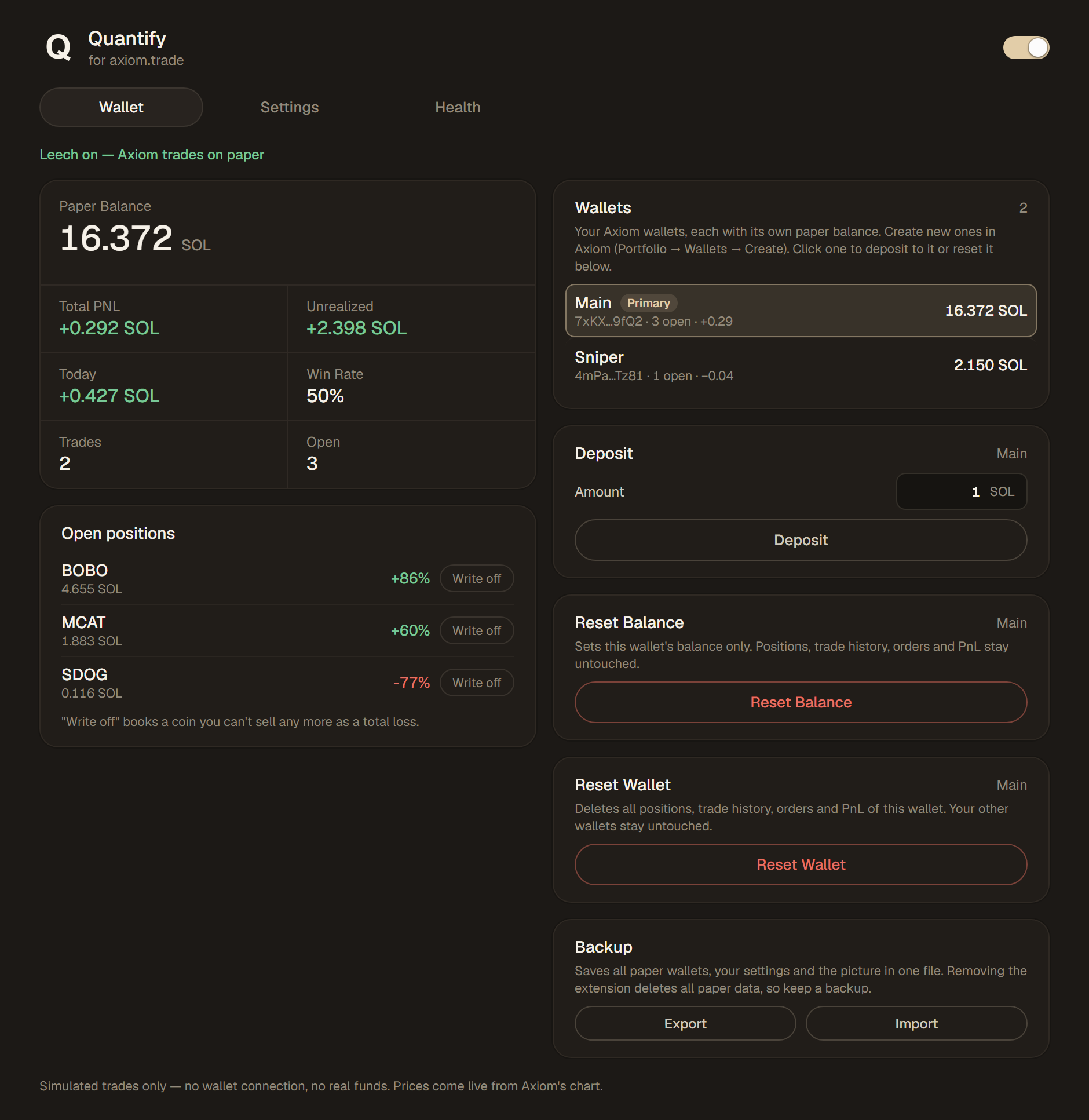
The first tab shows how your paper trading is going and lets you manage your paper wallets.
Paper Balance
The SOL of the selected paper wallet. Below it: Total PnL, Unrealized (open positions at the live price), Today, Win Rate, and how many trades and open positions you have.
Open positions
Every coin you hold on paper, with its value in SOL and the PnL in percent. "Write off" books a coin you can't sell any more as a total loss. Open limit, DCA or TWAP orders show up in their own list below, with Cancel.
Wallets
Each of your Axiom wallets has its own paper balance and positions. Primary marks Axiom's primary wallet. Click a wallet to make it the target of Deposit and Reset. New wallets are created in Axiom (Portfolio, Wallets, Create).
Deposit
Adds paper SOL to the selected wallet, as much as you like.
Reset Balance and Reset Wallet
Reset Balance only sets the SOL balance; positions, history, orders and PnL stay. Reset Wallet deletes all positions, trade history, orders and PnL of that wallet. Both ask before they do anything, and your other wallets stay untouched.
Backup
Export saves all paper wallets, your settings and your picture in one file, Import brings them back. Removing the extension deletes all paper data, so keep a backup.
Make paper trades behave like real ones
Timing, fees and the small details that make paper results match real trades.
Execution Time
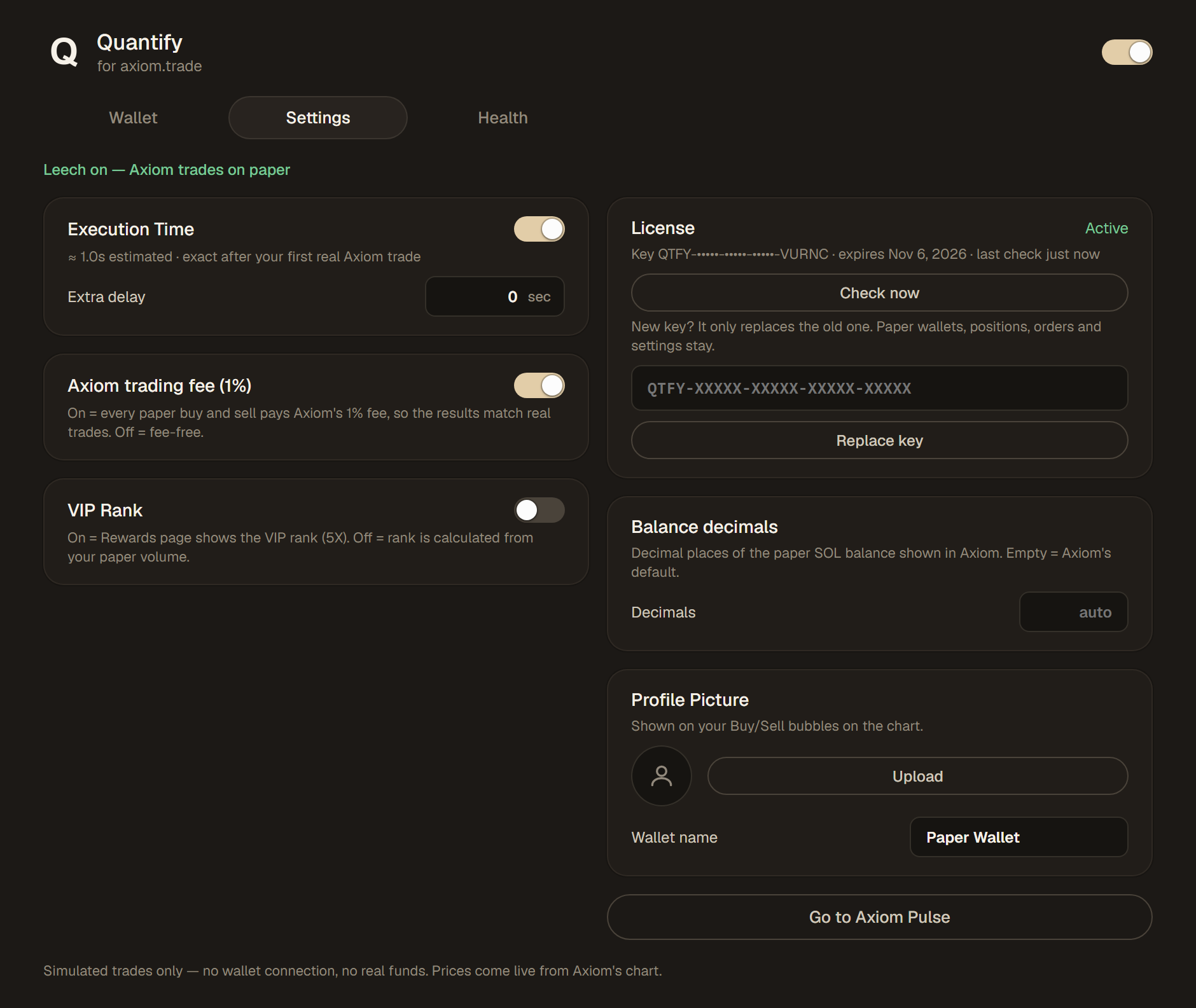
On: paper trades take as long as your real Axiom trades. Until your first real trade Quantify uses an estimate (about 1 second). Extra delay adds seconds on top, to test slower fills.
Axiom trading fee (1%)
On: every paper buy and sell pays Axiom's 1% fee, so the results match real trades. Off: fee-free.
VIP Rank
On: Axiom's Rewards page shows the VIP rank (5X). Off: the rank is calculated from your paper volume.
License
Status, the end of your key and its expiry date. Check now asks the license server right away. Replace key swaps in a new key; wallets, positions, orders and settings stay.
Balance decimals
How many decimal places the paper SOL balance has in Axiom. Empty means Axiom's default.
Profile Picture and wallet name
Your picture appears on your buy and sell bubbles in the chart, the name in the bubble text, for example "You (Paper Wallet) bought 0.5 SOL".
Go to Axiom Pulse
Opens Axiom's Pulse page, the quickest way back to trading.
Is everything still working?
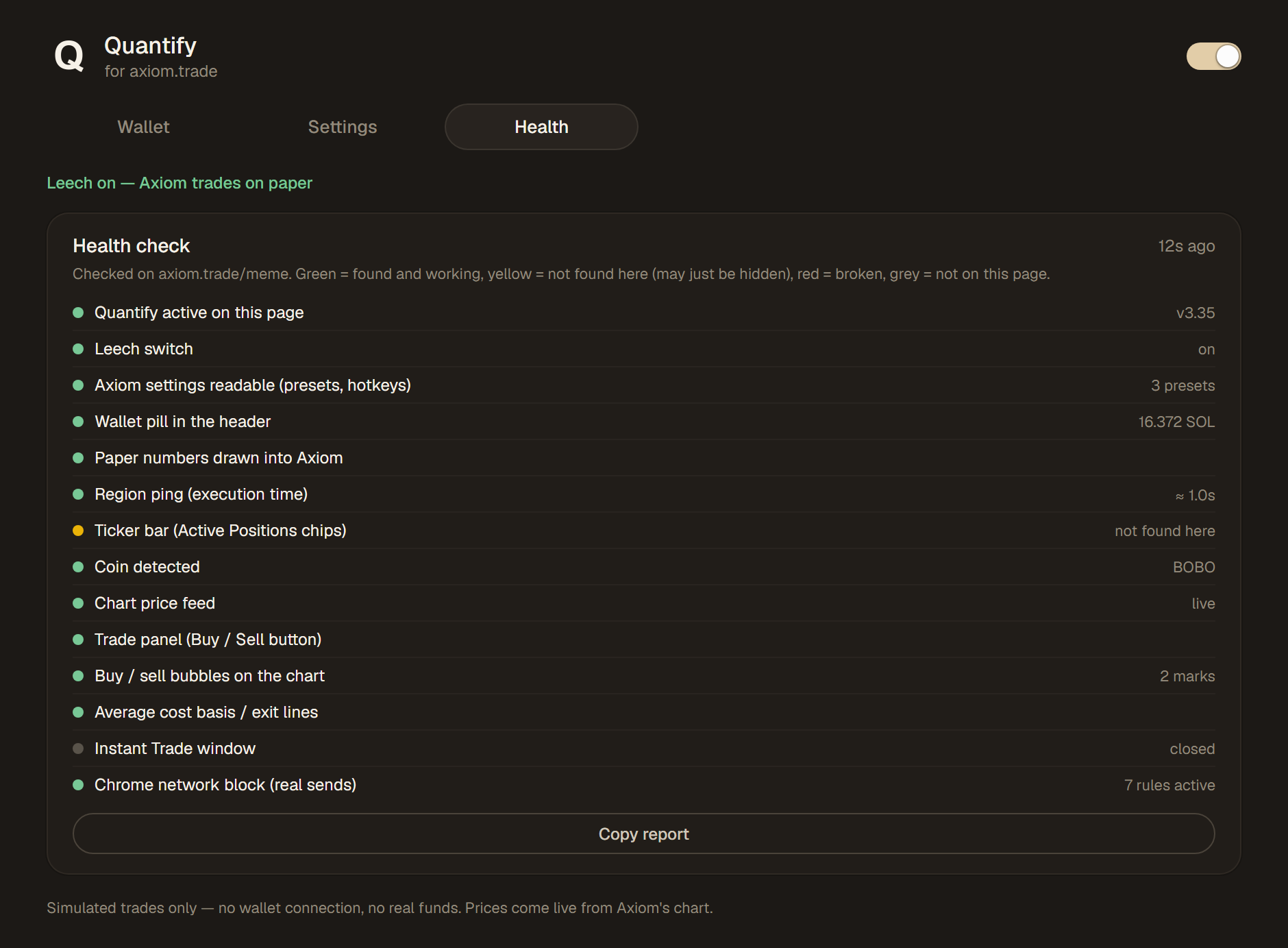
Axiom changes its site from time to time. The health check shows at a glance whether Quantify still finds everything it needs.
Health check
On an open Axiom tab, Quantify checks that it still finds Axiom's elements: the wallet in the header, the trade panel, the chart, the bubbles and more. The time at the top right shows how fresh the result is.
The colors
Green: found and working. Yellow: not found on this page, it may just be hidden. Red: broken. Grey: not on this page.
Chrome network block
The last line shows how many rules block real transactions at the Chrome level while Leech is on.
Copy report
Copies the whole result. If something stopped working after an Axiom update, paste it into your ticket on the Discord server.
The pictures show the Quantify window with example data. In Axiom, its colors follow your Axiom theme.
Ready to try it?
Download the extension and follow the install steps. A free 3-day trial is available, see Pricing.